Shared-use paths bring pedestrians, bicyclists, and other non-motorized users into the same corridor, often with very different speeds and movement patterns. That creates accessibility questions that extend beyond the basic dimensions of the path itself.
For shared-use path accessibility, designers need to consider how pedestrians understand where to travel, where bicycle and pedestrian movements separate or cross, where hazards begin and end, and whether the environment provides enough tactile and visual information to make those relationships clear.
Why Shared-Use Paths Present Unique Accessibility Questions
Shared-use facilities can vary considerably in width, geometry, markings, separation strategies, crossings, and adjacent uses.
A pedestrian who cannot rely fully on visual markings may need other information to understand whether a bicycle lane is adjacent, where a crossing occurs, or how the pedestrian route continues through a complicated transition.
Tactile walking surface indicators can help in certain conditions, but each pattern needs a defined purpose.
Start With a Continuous, Usable Pedestrian Route
Tactile indicators cannot compensate for a pedestrian route that is otherwise inaccessible.
Surface condition, running slope, cross slope, width, vertical changes, drainage, and obstructions all affect usability and should be addressed as part of the fundamental path design.
Existing environmental cues should also be evaluated. A railing, landscaping edge, wall, or clearly detectable surface boundary may already provide useful non-visual guidance. Where those cues are absent or misleading, purpose-built tactile information may be appropriate.
Matching the Tactile Cue to the Situation
Shared-use environments can require several different types of tactile information.
DWS: Crossing or Hazard Warning
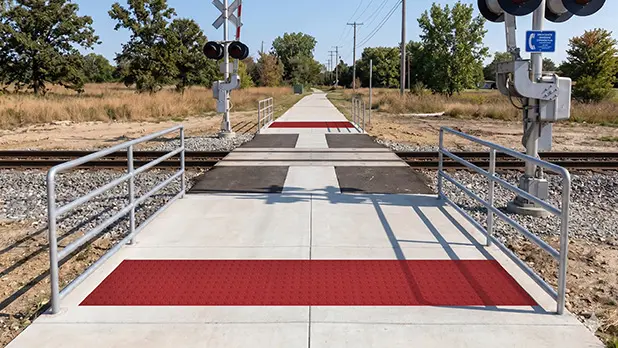
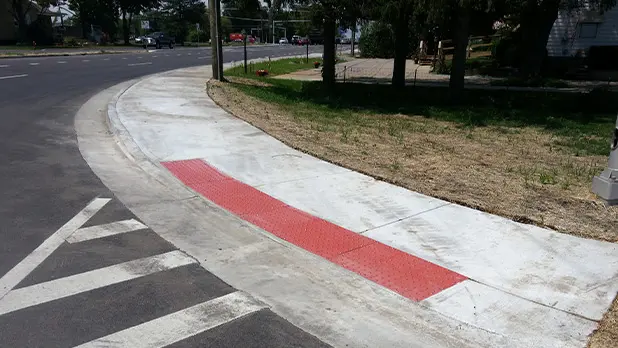
Where pedestrians cross a street, bicycle path, or other vehicular way, a truncated-dome detectable warning surface may be required or appropriate depending on the condition and governing criteria.
In crossing applications, paired DWSs can identify the beginning and end of the hazardous area.
TWD: Same-Grade Boundary
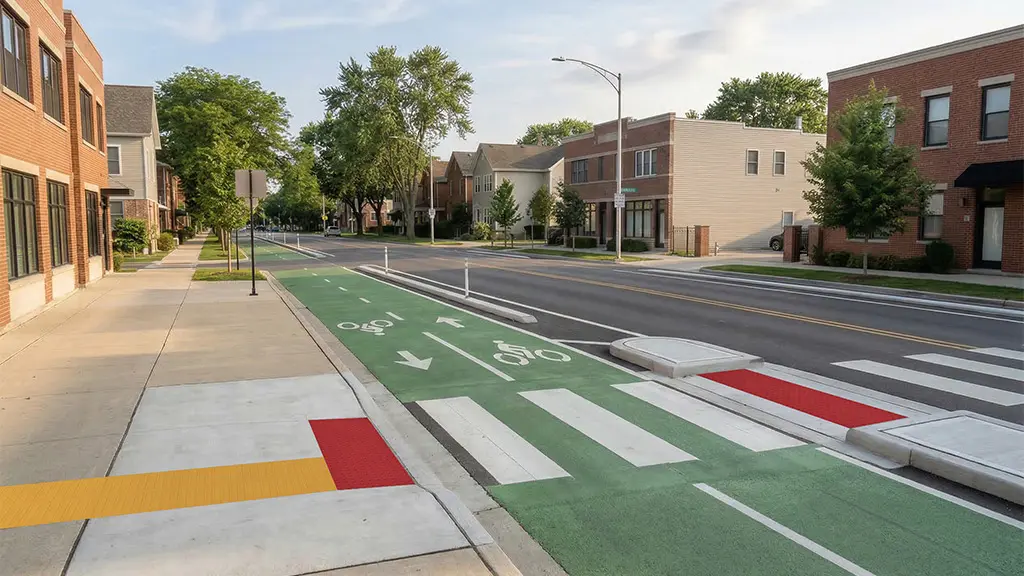
Where a pedestrian path and bicycle or other vehicle path run directly beside one another at the same grade with no intended crossing, a Tactile Warning Delineator can communicate a different message: remain on the pedestrian side of this boundary.
TDI: Directional Guidance
Tactile Direction Indicators can help with route-following, locating difficult-to-find crossings, or establishing crossing alignment where environmental cues are insufficient.
These three tactile patterns solve different problems and should not be substituted for one another simply because each creates a detectable change in the walking surface.
Coordinate Pedestrian and Bicycle Movement
A shared-use path needs to work for the complete traffic pattern.
Consider path width, bicycle speeds, passing behavior, intersections, markings, and the points where users merge, separate, or cross.
The tactile strategy should support that movement rather than create an additional layer of ambiguity. A bicycle crossing, for example, should be clearly distinguishable from an adjacent same-grade bicycle boundary where pedestrians are not intended to cross.
Contrast, Lighting, and Visual Cues
People with low vision may use pavement color, edge definition, markings, signs, and lighting alongside tactile information.
These visual cues can reinforce the organization of the path. Detectable warning surfaces also have applicable visual-contrast criteria of their own.
The most understandable environments coordinate tactile and visual information so both communicate the same path organization.
Maintenance Matters on Shared-Use Infrastructure
Leaves, sediment, snow, vegetation, surface wear, missing raised elements, and debris can make tactile information harder to find or interpret.
Shared-use paths may also be exposed to snow-removal equipment, pavement movement, seasonal traffic, and drainage issues.
Maintenance plans should therefore include the tactile system itself: keeping surfaces unobstructed, monitoring edges and coatings, maintaining drainage, and checking that the intended visual and tactile distinctions remain clear.
Design for Predictable Movement
The goal is not to maximize the number of tactile treatments on a shared-use path.
A successful design identifies the places where pedestrians genuinely need additional information and uses the appropriate tactile message there. DWSs warn, TWDs delineate same-grade boundaries, and TDIs provide guidance.
Integrated with path geometry, markings, signs, lighting, and other accessibility features, those cues can help create a shared-use environment that communicates more predictably to the full range of users.